
Data Collection
The Collection Worker connects to MTConnect Agents, streams data from each Device, stores it in SQLite, PostgreSQL, or SQL Server tables, and publishes it as MQTT messages. Data Collection is licensed at $30 per machine per month.
- Connect to any MTConnect Agent by address, port, path, and Device name, and test the connection to pick from the Agent's Devices
- Collect from SHDR Adapters through the Agent Hub, with a single connection to each Adapter
- Stream with Current and Sample requests, and resume where it left off after a restart instead of missing data or reading it twice
- Store data in SQLite for a trial or a few Devices with no setup, or in PostgreSQL or SQL Server for production. The database and MQTT broker are optional, and can be added later
- Profiles are reusable rules for which data goes where: Tables (a database) or Messages (MQTT), each with its own Filter and destinations
- Groups organize Devices by plant or cell and apply their Profiles to every Device in the Group, including ones added later
- A destination a running Device gains receives its model and current values within seconds, without restarting the Device
- Filters allow or deny DataItems by Category (Sample, Event, Condition), Type, ID, or an Expression, with a preview of what they match, and reduce data volume with Period and Delta filters
- Keep only some Condition levels (ex. only FAULT), while still keeping the NORMAL that clears a kept FAULT
- Filter Presets to deny the types that change constantly (ex. POSITION, ACCUMULATED_TIME) or to keep only FAULT Conditions
- Store Device models, current Observations, and historical Observations (Samples, Events, Conditions, Tables, DataSets, and TimeSeries)
- Store MTConnect Assets such as Cutting Tools, Files, and Raw Materials
- Data Retention rules delete Observations once they're older than a Time To Live, such as keeping Conditions for a year and everything else for 30 days. Rules can match DataItems by Category, Type, ID, or an Expression
- Publish Devices, Components, DataItems, Observations, Statistics, and Connection Status as retained messages
- Connection Status and Connection History for every Device
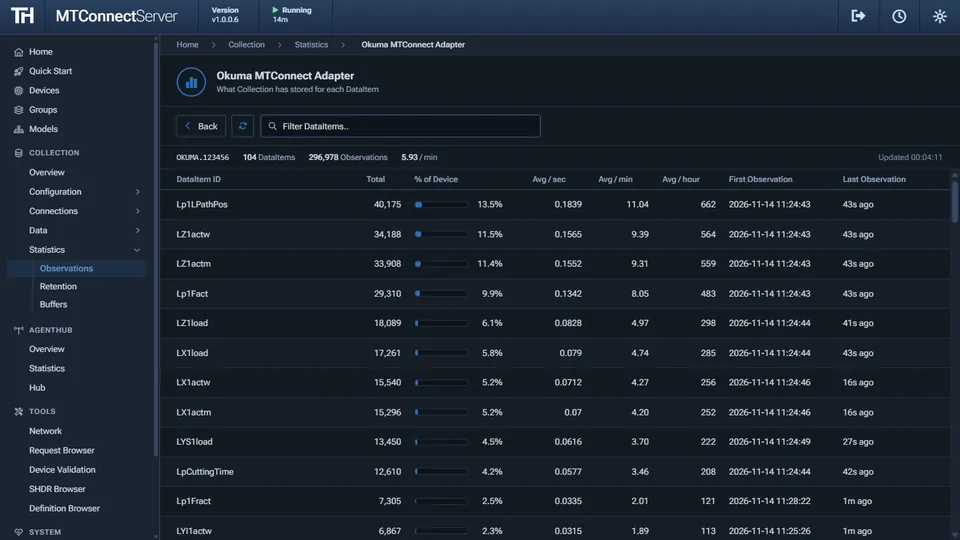
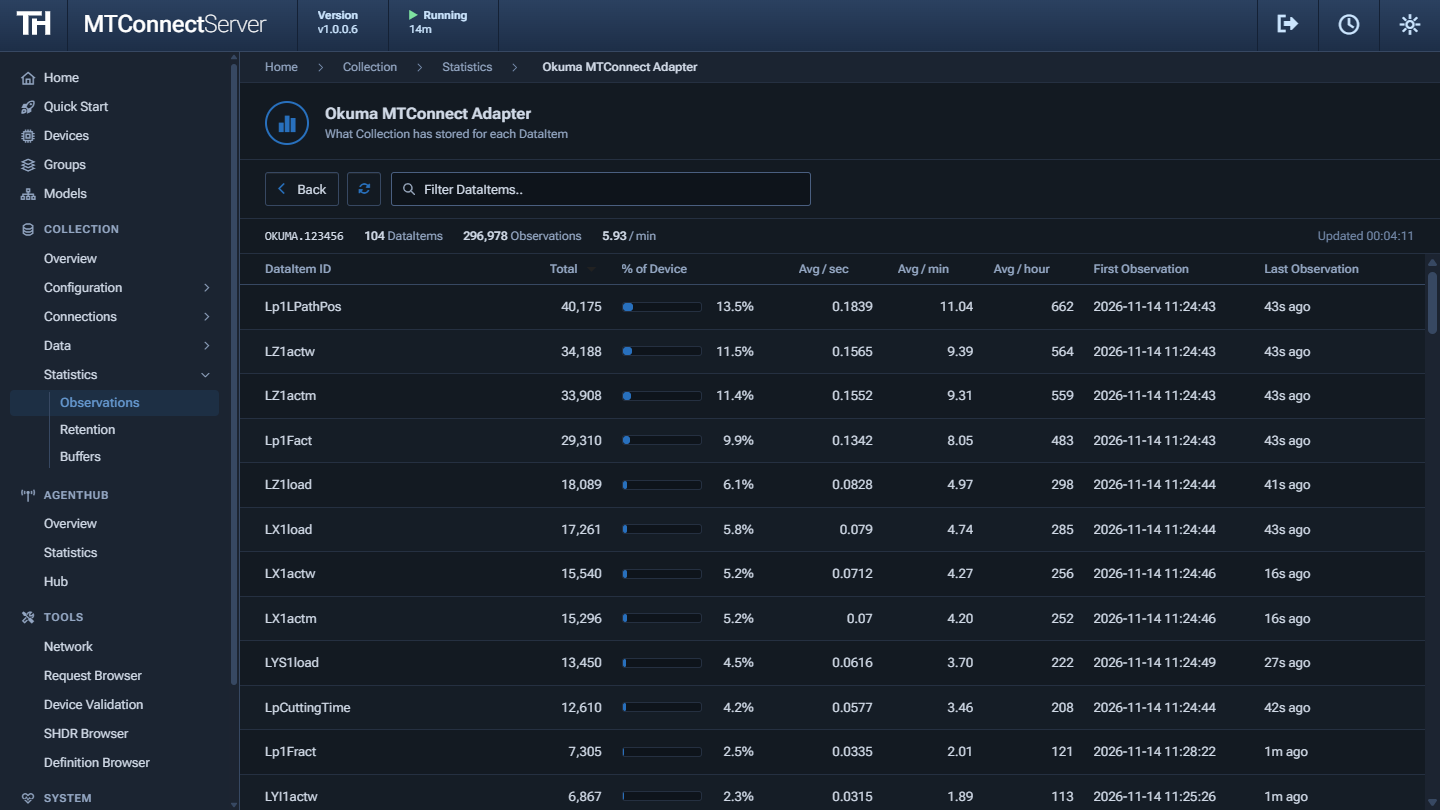
- Observation, Retention, and Buffer Statistics to see that data is keeping up
- Export captured Observations to Excel (.xlsx) for analysis and reporting
Agent Hub
The Agent Hub Worker serves Devices from existing MTConnect Agents and SHDR Adapters from a single port, giving client applications one place to read data from across the shop floor. The Agent Hub is free to use and doesn't require a license.
- Read each Device from an MTConnect Agent, or from an SHDR Adapter with a Device model you upload, copy from an Agent, or paste
- Serve a Device with a saved Device model from the Models library in place of the model its Agent reports. Saving the model restarts the Devices that use it, and Collection stores the edited model
- Each Device runs its own MTConnect Agent with its own buffer, so restarting or changing one Device doesn't affect the others
- Serve every Device from one HTTP port (default 5001), with the Device's UUID in the path (ex.
/{deviceUuid}/probe) - Standard MTConnect requests: Probe, Current, Sample (including streaming), Assets, and
pathfilters, so any MTConnect client can read them - List the running Devices as JSON at the root path, and read each Device's connection status from a single Agent Device at
/agent/ - A live overview shows connected Devices, active clients, what needs attention, how the Hub is configured, and Observation rates with charts over the last 10 minutes, with a table of the Devices by Group
- A Statistics page charts the Observations and rejected Observations per second, requests per second, and active clients for each Device or all of them, with a table of each Device's counters
- XML, JSON, or cppagent JSON documents, response compression, and TLS
- Powered by the MTConnect.NET Agent
Web App & API
MTConnect Server includes a web app and a REST API to manage your Devices, monitor connections, and browse the data that has been collected.
- Quick Start walks through setting up Collection: where collected data goes, adding a License, and adding Devices, then shows whether data is arriving. It resumes at the first step that isn't done
- Devices is one list of every machine. Turn the Agent Hub and Collection on or off for each one, or keep a Device just to store its connection details and send it requests, with no license needed
- Groups organize Devices by plant or cell, and turn the Agent Hub or Collection on or off for all of a Group's Devices at once
- The Home page is an overview of setup, health, and metrics: status tiles, what needs attention, the Instance's health and Workers, Collection and Agent Hub charts over the last 10 minutes, what is configured, and the Devices that store the most. It refreshes every 5 seconds
- The Collection and Agent Hub pages are live overviews of their status, configuration, Observations, and Devices
- A library of saved Device models: import a model from an Agent's probe or XML, or create one from scratch, then edit it in a tree with the MTConnect Standard's definitions as help text, validate it, and download it as XML
- Move model elements by drag and drop, and edit a Configuration's Specifications, Coordinate Systems, Motion, Solid Model, Sensor Configuration, Relationships, Image Files, and Power Sources
- See when a saved model's source Agent reports a different model, review the added, removed, or changed Components, Compositions, and DataItems, and apply them to the saved model
- A System section shows the Instance's Health, the status of the Workers, and Logs you can filter by Device, follow, and download. Each Device's page also has a Logs tab with its entries from the Workers
- Manage Licenses for every Device in one place: assign many at once, see what's expiring, and replace a renewed License Code. Give each License a description, and request Licenses from licenses.trakhound.com
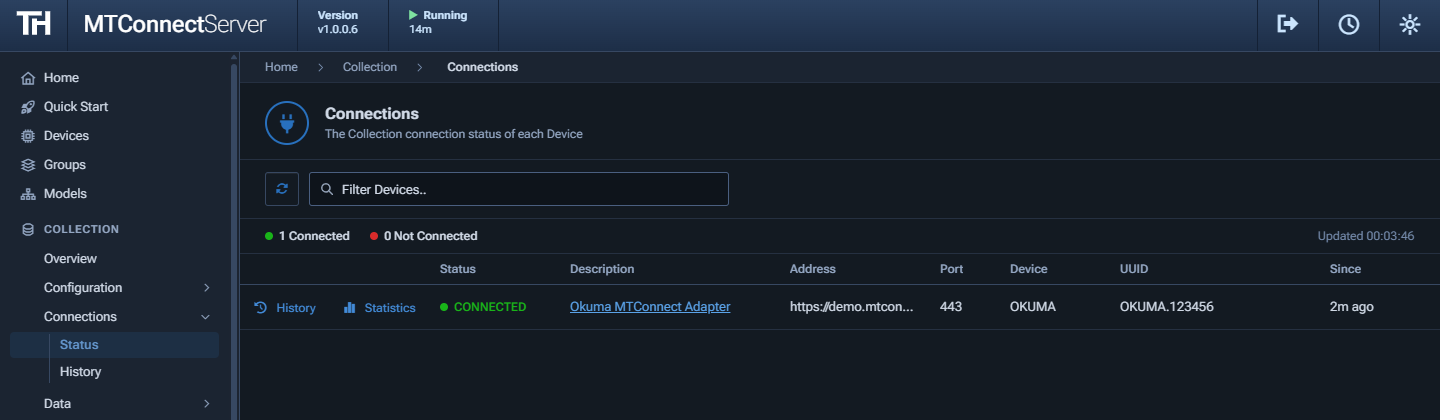
- View live Connection Status and Connection History
- Browse current and historical Observations for each Device, with MTConnect Standard definitions for Types, SubTypes, and Values. Live mode updates Current every second and adds new Observations to History as they are stored
- Search Data History by category, value, and DataItem, chart up to 12 Samples, and see how long each Event and Condition lasted
- View Observation Statistics for each Device
- Export data to an Excel (.xlsx) file by selecting Devices, DataItems, and a time range (from the last 15 minutes up to 30 days, or a custom range)
- REST API for integrating with other applications, with API keys. The observations routes filter by category, availability, the value of a Sample or Event, and the Level, Native Code, Qualifier, and message of a Condition
- Requires signing in, with a branded sign-in page, and a Dark or Light theme that each user can choose
- Times are shown in the viewer's time zone, in 12 or 24 hour format
Tools
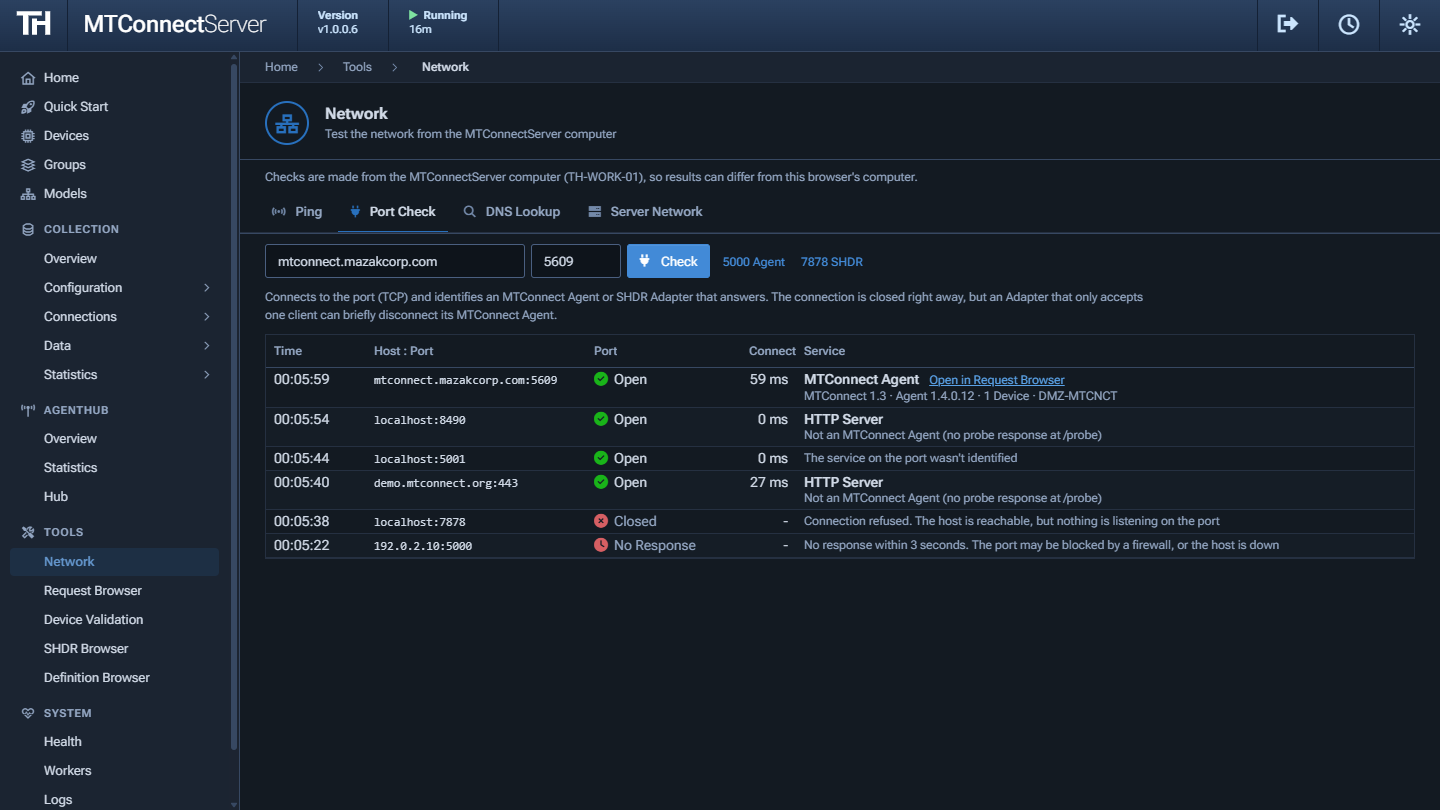
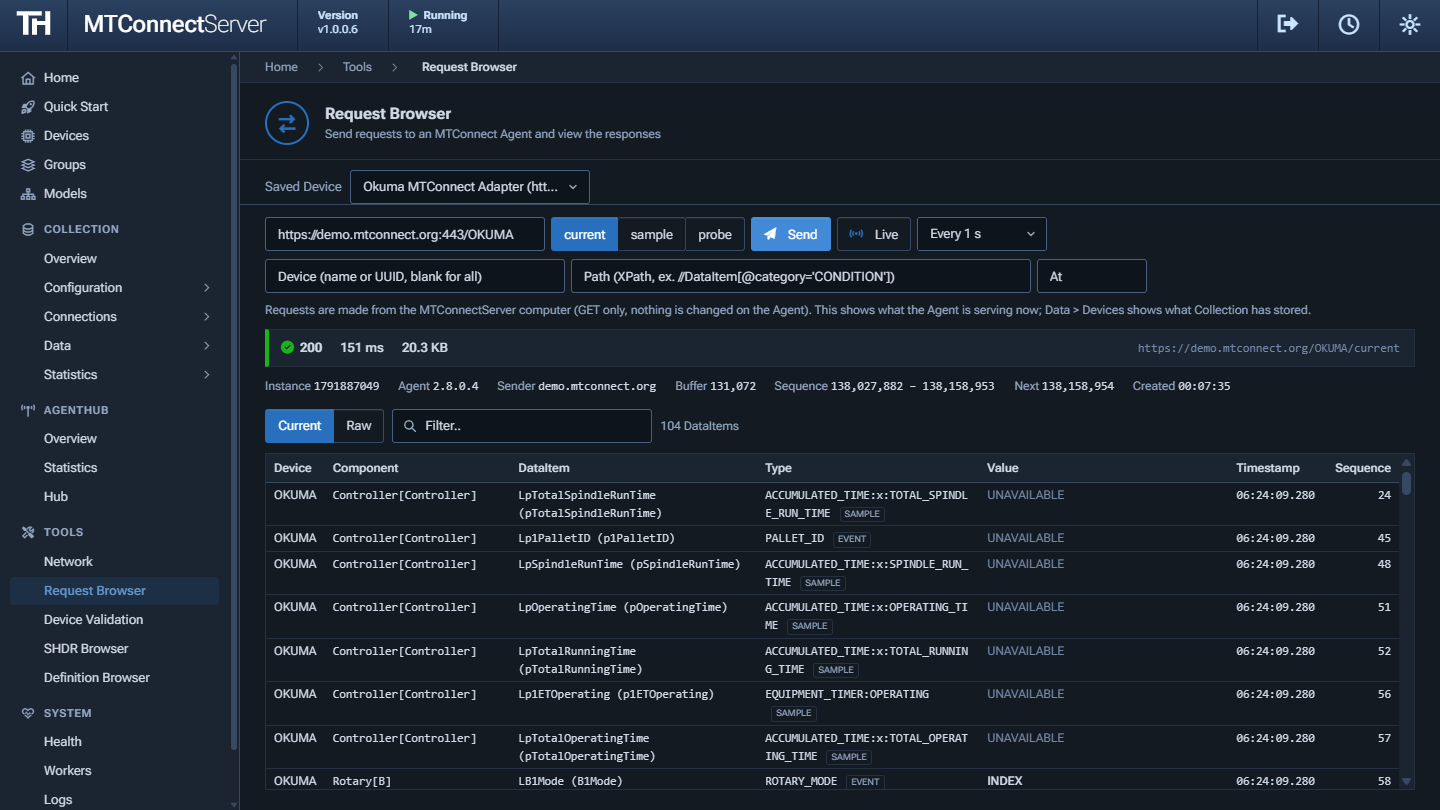
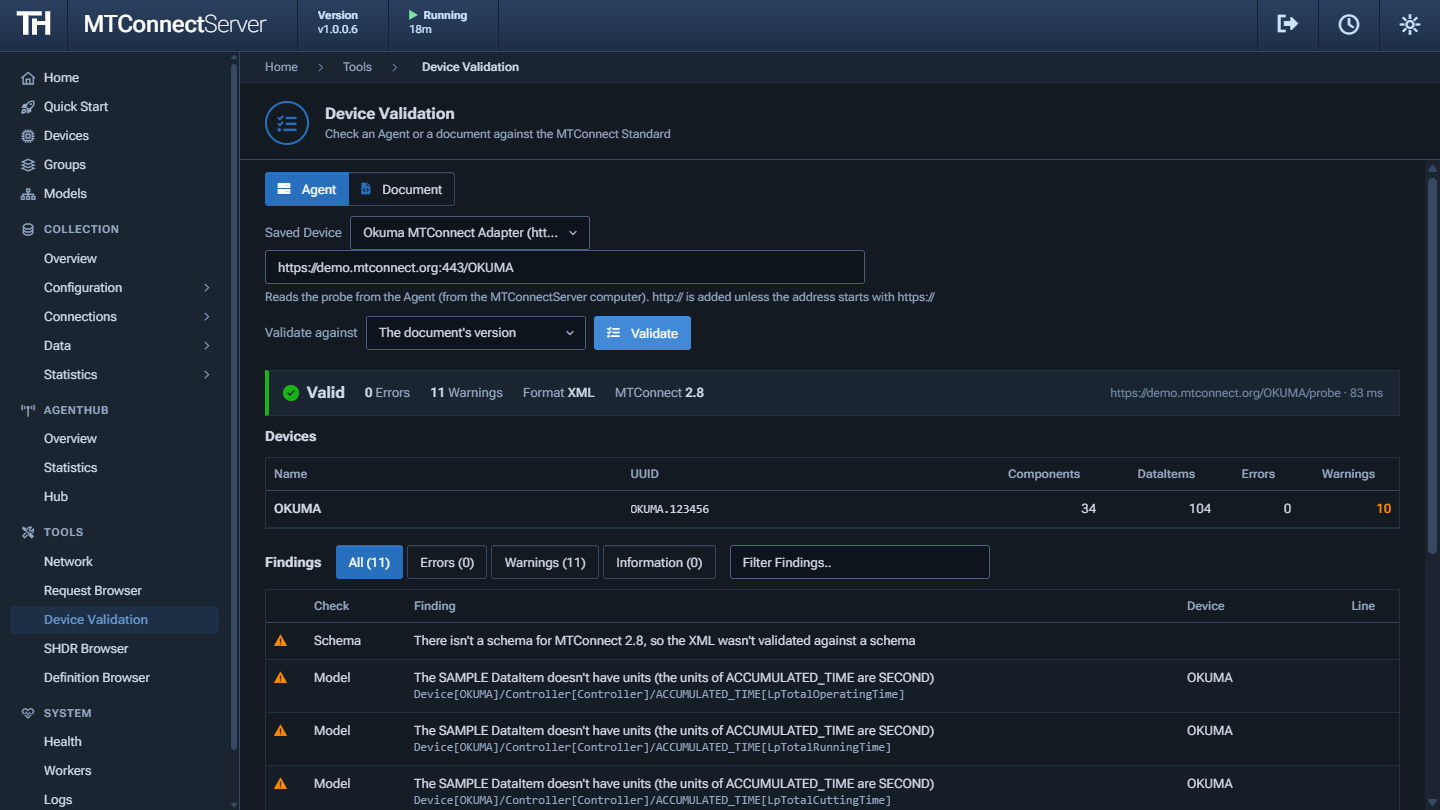
The MTConnect Server App includes Tools for troubleshooting connections to machines. They are free to use and don't require a license. Every check is made from the computer MTConnect Server is installed on, the same computer that connects to the Agents and Adapters.
- Network - Ping a host, check whether a port is open and identify what answered (an MTConnect Agent or an SHDR Adapter), look up DNS names, and see the server's network adapters
- Request Browser - Send current, sample, and probe requests to an Agent and see the latest values, the Observations, and the Devices as a tree, with Live updates every few seconds
- Device Validation - Validate an Agent's Devices, or a pasted Devices document, against the MTConnect schema of its version (1.0 to 2.7) and check the Device model for types, units, and IDs that don't follow the Standard. Works without internet access
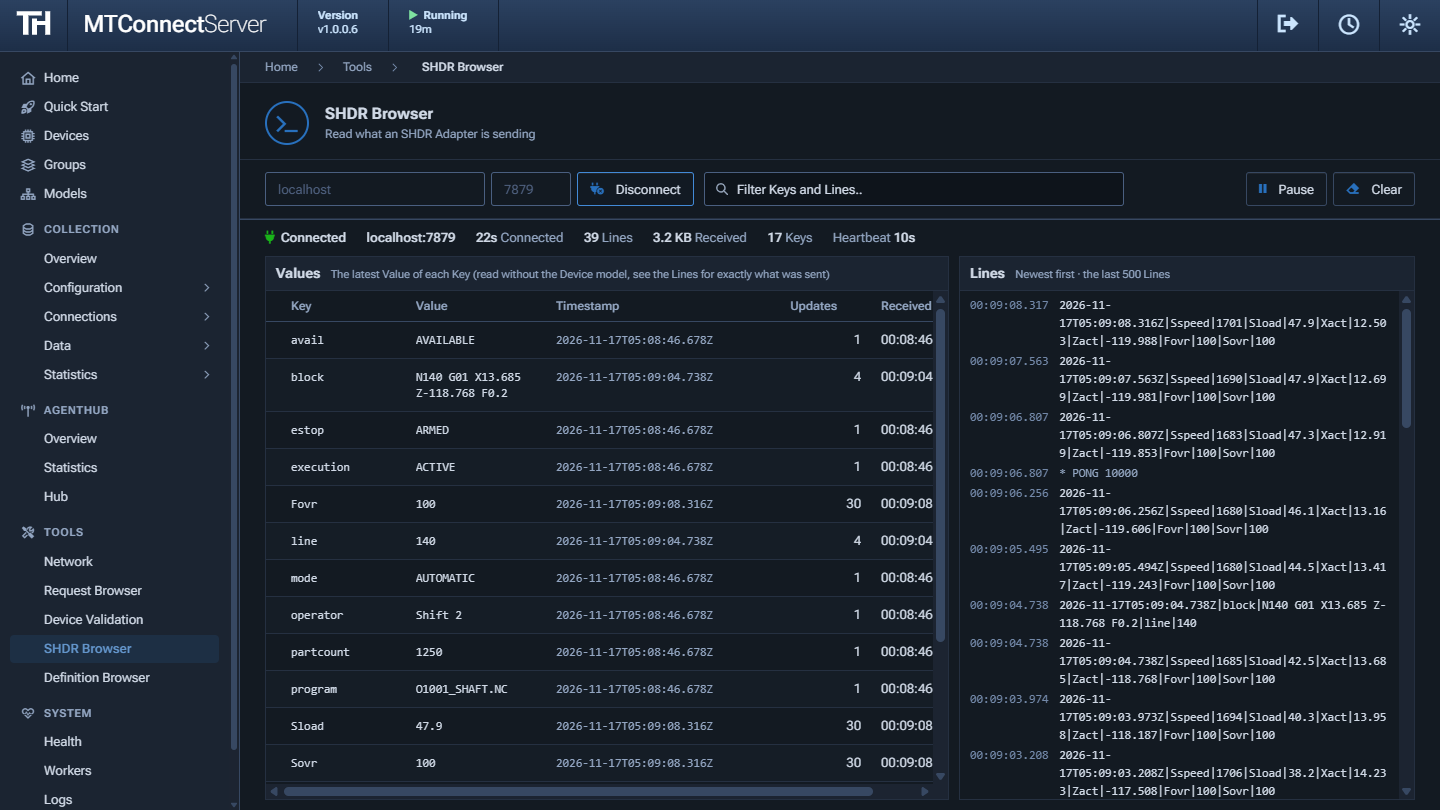
- SHDR Browser - Connect to an SHDR Adapter and see the Lines it sends and the latest Value of each Key, to check an Adapter before adding it to an Agent
- Definition Browser - Search the MTConnect Standard's DataItem, Component, and Composition Types, with their SubTypes and Values
Screenshots
Pricing
Data Collection is licensed per machine, with no extra license to store data in SQLite, PostgreSQL, or SQL Server, or to publish it over MQTT. The Agent Hub and Tools are free to use with no license required. License Codes are checked on your server, without contacting TrakHound. Licenses are requested online for each device, and trials are issued instantly. See how licensing works.
